
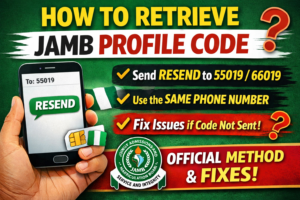
If you are searching for how to retrieve jamb profile code, the official method is simple: send RESEND as a text message from the same phone number you used earlier to 55019 or 66019. That is the instruction published in JAMB’s FAQ, and it is still the clearest starting point for candidates who lost their code.
That quick answer helps, but it is not the whole story. Many candidates do not fail because the keyword is wrong. They fail because they switched SIM cards, confused profile code with e-PIN, forgot their password instead, or are trying to solve a NIN-related issue with the wrong method. JAMB’s own materials make it clear that the phone number used for profile creation matters a lot, and later communication stays tied to that number.
So this guide does two things. First, it shows the official retrieval step in plain language. Second, it helps you identify what the real problem is when RESEND does not fix it.
What a JAMB profile code is and why it matters
A JAMB profile code is the candidate code tied to your phone number and NIN-based registration process. JAMB’s registration materials explain that once a candidate sends the required SMS from a unique mobile number, a 10-character profile code is returned on that same number, and that profile remains tied to the candidate for present and future applications.
That matters because the profile code is not just a random message you can ignore. You need it for key JAMB steps, especially when buying an application document or moving forward with registration at an accredited CBT centre. JAMB states that candidates present the profile code when procuring application documents, after which the e-PIN is sent to the candidate’s phone.
This is why losing the code creates stress quickly. Once it disappears from your inbox or you change phones, you may not remember whether you are missing your profile code, your PIN, your registration number, or your account password. Those are different things, and JAMB treats them differently.
How to retrieve JAMB profile code
Here is the official step again, exactly in practical terms:
Send RESEND by SMS from the same mobile number you used before to 55019 or 66019. JAMB’s FAQ says this is the way to retrieve a lost profile code. The same page also says candidates who generated a profile code in a previous year can send RESEND to refresh or reactivate it for new registration.
That “same mobile number” part is not optional. JAMB’s registration handbook says the unique phone number used for the process remains your identification for present and future transactions. It also says candidates should always remember that SIM number because it is important for later communication with the Board.
So the cleanest answer to how to retrieve jamb profile code is this:
- Open the SMS app on the original phone line you used for JAMB.
- Type
RESEND - Send it to
55019or66019 - Wait for JAMB’s response on that same line.
If you are a returning candidate, do not assume you must create a completely new identity every year. JAMB says returning candidates on the same number will still receive the same profile code, and the FAQ adds that RESEND can refresh it for a new registration cycle.
What you need before you try again
Before you send the message, make sure three things are true.
First, you are using the original line linked to your JAMB profile. JAMB ties that number to the candidate’s records and later communications. In other words, retrieving a code from a different SIM is where many people get stuck.
Second, the line can actually send ordinary SMS. JAMB’s handbook warns candidates not to use post-paid or special bundle package lines unless they are specially loaded with credit. That note sounds small, but it explains why some people keep retrying a correct command and still get no response.
Third, be clear on what you are trying to recover. If what you lost is your account password, RESEND is the wrong fix. If what you lost is your purchased e-PIN, that has its own retrieval command. If what you lost is your registration number, that is handled through a different JAMB service.
If RESEND does not work
When RESEND does not work, the next step is not guessing. It is identifying the exact problem.
You may be using the wrong phone number
This is the most common issue. JAMB’s published materials repeatedly stress that the candidate’s unique phone number is tied to the profile and remains important for future transactions. Another official JAMB manual snippet says the Board does not entertain requests to change SIM number after profile creation.
That means you should not expect a new line to behave like the old one. If you no longer have access to the original SIM, your best route is official support, not trial and error.
You may be dealing with a password problem, not a profile code problem
A lot of candidates say “I lost my profile code” when the real issue is that they cannot log in. JAMB separates these two problems.
For a lost or forgotten profile password, JAMB’s FAQ says you can send PASSWORD followed by a space and your email address from the same registered phone number to 55019 or 66019. JAMB’s intranet login page also shows a “Forgot Password?” flow that sends a new password to the registered phone number, while the e-facility portal has a standard password reset page for email-based reset.
So if your code is available but login keeps failing, stop trying RESEND. Solve the password issue instead.
You may have lost your e-PIN, not your profile code
JAMB’s FAQ says that if your e-PIN was not received or was lost, you can send UTMEPIN from the unique number to 55019 or 66019 to retrieve it. JAMB’s verification page also includes a PIN retrieval option.
This matters because a candidate who already has a profile code but cannot continue payment or registration often assumes the code is the problem. Sometimes it is the PIN.
You may have lost your registration number, not your profile code
JAMB also treats registration number retrieval as a separate service. The JAMB portal has a dedicated “Retrieval of Registration Number” service, and JAMB’s payment and services page lists “Retrieve Registration Number” among its paid services.
So if your registration is already complete and what you need now is your registration number, do not keep focusing on the profile code. Use the correct service.
How to create a JAMB profile code if you never received one
Some readers are not trying to retrieve an old code at all. They never got one in the first place.
JAMB’s FAQ says candidates generate a profile by sending NIN followed by a space and their 11-digit NIN to 55019 or 66019. JAMB’s registration handbook says the same thing and adds that the number used must be a unique personal GSM number, not one already used by another candidate for UTME or DE registration.
So if you never created the profile successfully, your path is different:
- Type
NINfollowed by a space and your 11-digit NIN - Send it to
55019or66019 - Wait for the profile code on that same line.
JAMB also advises candidates to check their data with NIMC before creating a profile so the records match. The handbook specifically warns candidates to ensure their NIMC details agree with their claims before profile creation.
That is an important distinction. If the system is rejecting your attempt before any code is generated, the issue may not be retrieval at all. It may be a NIN-data problem.
JAMB profile code vs e-PIN vs registration number vs password
This is where many candidate errors start, so it helps to make the differences plain.
A profile code is the code created through the JAMB phone-number process and used as part of moving into registration and related services. JAMB says it is tied to your unique phone number and remains with your profile over time.
An e-PIN is different. JAMB says the candidate presents the profile code when procuring the application document, and then the e-PIN is sent by text to the candidate’s phone. If the e-PIN is lost, JAMB says to send UTMEPIN from the unique number.
A registration number comes later in the process and has its own retrieval service on the JAMB portal.
A password is what you use to access your account. If that is the problem, JAMB directs candidates to the password reset route, not the RESEND route.
Once you understand those differences, you avoid the most frustrating mistake of all: using the wrong recovery method for the wrong problem.
Common mistakes candidates make
One mistake is using another person’s phone number to create or retrieve a profile. JAMB says the mobile number used becomes tied to the candidate and remains central to later communication.
Another is forgetting the original SIM and expecting JAMB to treat a new one as the same account identity. JAMB’s materials strongly emphasize remembering the SIM used, and a later manual snippet says the Board does not entertain SIM-change requests after profile creation.
A third mistake is using the wrong recovery word. RESEND is for a lost profile code. UTMEPIN is for a lost UTME PIN. PASSWORD email@example.com is for password reset. Mixing them wastes time.
Another easy-to-miss issue is SMS delivery itself. JAMB’s handbook says candidates should not use post-paid or special bundle package lines unless specially loaded with credit. The same handbook also says candidates may still receive JAMB text messages even when “Do Not Disturb” is activated. So if messages are not arriving, the problem may be line type or account setup rather than DND alone.
Finally, many candidates rely on random “agents” or social posts instead of official support. That is risky. JAMB’s handbook says all complaints should go through the ticketing system for proper attention and documentation, and it also warns candidates not to release passwords to anyone.
Safe ways to get help from JAMB
If the normal SMS recovery step fails, use JAMB’s official support system.
JAMB’s Central Online Support System allows candidates to create a support ticket, and the general support form includes categories such as PROFILE CODE ISSUES and NIN RELATED ISSUES. JAMB’s handbook also says complaints on JAMB processes should be channeled through the ticketing platform rather than third parties.
This is the safest escalation path when:
- you no longer get replies after sending
RESEND - your NIN data appears wrong
- your original SIM is inaccessible
- your issue is really with account identity rather than simple code retrieval.
You can also use JAMB’s official portal services when the issue is not your profile code at all. For example, registration number retrieval is a separate portal service, and password reset has its own route.
The key is to match the problem to the correct fix. That saves time, money, and unnecessary panic.
FAQ Section
1. What do I send to retrieve my JAMB profile code?
Send RESEND as an SMS from the same phone number you used before to 55019 or 66019. That is the official JAMB instruction for retrieving a lost profile code.
2. Can I retrieve my JAMB profile code with another SIM?
Usually, no. JAMB ties the profile to the unique phone number used in the process and says that number remains important for future transactions and communication. A JAMB manual snippet also says the Board does not entertain SIM-change requests after profile creation.
3. Is my old JAMB profile code still valid this year?
JAMB says returning candidates on the same number still receive the same profile code, and its FAQ says candidates can send RESEND to refresh or reactivate it for a new registration cycle.
4. What if I lost my JAMB password instead of my profile code?
That is a different issue. JAMB says you can reset a lost or forgotten profile password by sending PASSWORD followed by your email address from the same registered phone number to 55019 or 66019. JAMB also provides password reset pages on its platforms.
5. Is JAMB profile code the same as JAMB registration number?
No. They are different. JAMB provides a separate portal service for retrieving a registration number, which shows that registration number recovery is not the same as profile code recovery.
6. What if I never got a profile code in the first place?
Then you may need to create it rather than retrieve it. JAMB says candidates should send NIN followed by a space and their 11-digit NIN to 55019 or 66019 to generate a profile code.
7. What should I do if RESEND does not work?
First, confirm you are using the original SIM and that you are trying to recover the right item. If the problem continues, use JAMB’s official support ticket system, which includes categories for profile code issues and NIN-related issues.
Conclusion
The safest answer to how to retrieve jamb profile code is still the official JAMB method: send RESEND from the same phone number to 55019 or 66019. If that fails, do not keep guessing. Check whether the real issue is your SIM, your NIN details, your password, your e-PIN, or your registration number, then use the matching official JAMB route. That approach is faster, cleaner, and much less likely to create a bigger problem.